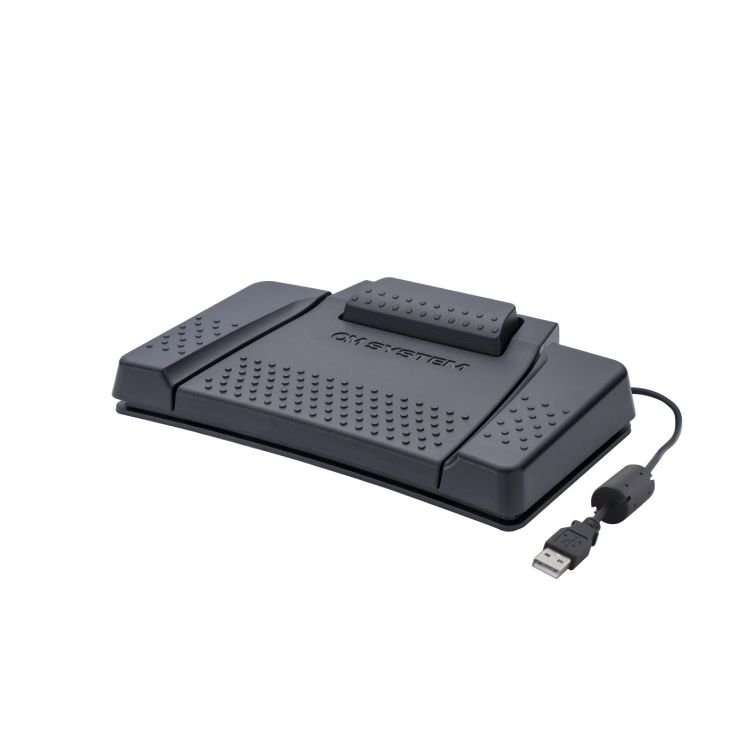
The High-End professional footswitch RS31N incorporates 4 buttons to easily control OM SYSTEM dictation management software (ODMS R8, ODIV1S Cloud) and compatible third-party software.
This can be any transcription player or other application software, which can be controlled via keyboard shortcuts (e.g. Ctrl + Alt + P or Alt + 1) or multimedia keys (Scan Next Track, Stop, Play/Pause, etc.). Just assign the desired command to the pedals with the free Olympus Foot Switch Configuration Tool.
Once the pedals are configured according to your individual needs, you will have your hands free to transcribe an audio file or for other things. With the extra-wide centre pedal, it has perfect ergonomics for shoe sizes up to 46 and helps you to transcribe audio files even for operations over several hours.
- Easy control of transcription software (play, stop, rewind etc.)
- Extremely durable and long USB cable (2.5 m)
- Perfect ergonomics for any shoe size - Extra wide centre pedal
- Centre or top pedal can be locked
- HID keyboard mode (via free optional configuration tool)
- Keyboard shortcuts support (e.g. "Ctrl + Alt + P" or "Alt + 1")
- Multimedia keys support
- Nonslip mat to keep it in place
- Compatible with ODMS Cloud, ODMS R8 (Transcription Module)
We are never knowingly undersold, and will either try to BEAT any advertised price you tell us about or refund the difference onto your card for a similar product that you have purchased from us. Read More...
Type
Dictation Accessories
For Use With
OM SYSTEM Cloud and OMDS R8 On-Premise dictation management software
Specifications are subject to change - See Terms & Conditions for more info






 Datasheet